
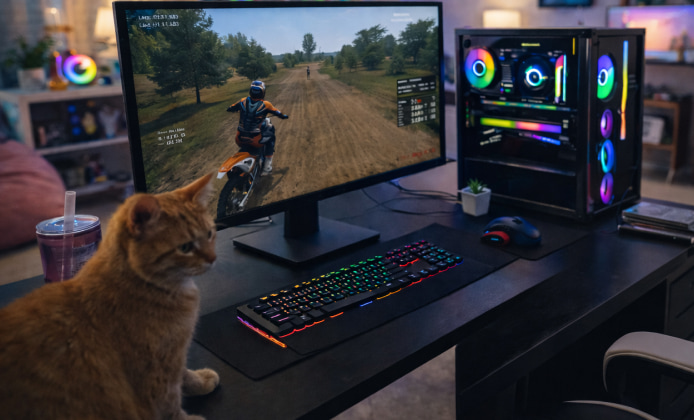
Motocross sims are at their best when you can squeeze in a few laps between tasks, compare lap times with friends, or fine-tune your bike setup without hassle. Still, “unblocked” can mean different things depending on where you are playing, so it helps to focus on safe, permitted, and reliable ways to enjoy the game.
What Unblocked Should Mean
In most cases, people use the phrase to describe playing from a network or device that allows gaming sites and downloads without restrictions. For many riders, finding MX Bikes unblocked during a break simply means using a personal device on an approved connection.
If you’re on a school or workplace network, the clean approach is to respect the rules: ask an administrator whether the title is allowed, use approved software stores, or wait until you’re on a home network. This keeps your accounts secure and avoids triggering security systems.
“The fastest lap is the one you can repeat consistently comfort and control matter more than brute speed.”
Browser Play vs. Desktop Play
Some players want instant action with minimal setup, while others prefer the full simulation feel with deeper settings and smoother performance. If you’re looking for a quick session, the MX Bikes unblocked game experience is usually best when your browser is up to date and your device has enough resources for stable frame rates.
Desktop play tends to offer better input consistency, broader graphics options, and easier access to configurations. Browser sessions can be convenient, but they may be limited by device policies, extensions, or bandwidth caps.
Quick Readiness Checklist
- Update your graphics drivers and restart before longer sessions.
- Close heavy background apps to reduce stutter.
- Use a wired controller or a stable USB connection to avoid input drops.
- Enable full-screen mode for more consistent performance and focus.
Getting the Game Safely and Avoiding Sketchy Sources
It’s tempting to click the first link that promises an easy file, but that’s where malware and unwanted installers thrive. When you see people searching for MX Bikes unblocked download options, the safest interpretation is to use official storefronts or the developer’s legitimate distribution pages on a trusted home connection.
As a rule of thumb, avoid “repacked” installers, unofficial mirrors, or any download that asks you to disable security tools. If a file feels suspicious, it probably is.
How to Verify You’re Using a Legitimate Installer
- Prefer official stores or the developer’s site over third-party hosting.
- Check that the page uses a reputable domain and consistent branding.
- Scan the installer with your operating system’s built-in security tools.
- Read recent user reviews on the store page for warnings about fake links.
Free Access Without Cutting Corners
Players often ask about free options, but “free” should still be lawful and safe. If you want MX Bikes for free unblocked without risking your device, look for official demos, limited-time promotions, free weekends, or legitimate family-sharing options where they are supported.
If a site claims to provide the full game for free with no strings attached, it’s often a red flag. In practice, the best route is to watch for verified promotions and keep your accounts protected with strong passwords and multi-factor authentication where available.
Installation and Setup That Won’t Cause Headaches
Once you’ve obtained the game through legitimate means, setup is usually straightforward. If you plan to install MX Bikes unblocked on a personal Windows PC, keep the process clean by using the default installer, choosing a standard install location, and allowing the game to create its config files on first launch.
After installation, take a minute to calibrate controls and graphics settings so the first ride feels smooth rather than frustrating.
Common First-Launch Tweaks for a Smoother Ride
- Controls: Calibrate throttle and brake, then set a small deadzone for sticks.
- Camera: Start with a stable chase cam, then experiment once you’re comfortable.
- Graphics: Lower shadows first if you need extra FPS without losing clarity.
- Audio: Balance engine volume and ambient sounds so you can “hear” traction changes.
Troubleshooting When Access or Performance Is Blocked
If the game won’t launch or a page won’t load, the cause is often simple: a restricted network policy, an outdated browser, or a security tool flagging an unfamiliar executable. Try switching to your home Wi-Fi, disabling only unnecessary browser extensions, and updating system components before you assume something is broken.
For school or workplace devices, remember that restrictions are usually intentional, and bypassing them can violate policies. The safest approach is to play on a personal device, outside restricted networks, or with permission.
Play-Style Guide: From Beginner Laps to Confident Lines
MX-style sims reward patience. Start by focusing on clean exits from corners, then add speed only when your landings are controlled.
- Brake earlier than you think, then accelerate smoothly out of turns.
- Keep your body position stable over jumps to reduce wobble on landing.
- Learn one track deeply instead of bouncing between many tracks.
- Use practice sessions to test setup changes one at a time.
Options Comparison
| Method | Best for | Pros | Watch-outs |
|---|---|---|---|
| Home PC via official store | Stable long sessions | Best performance, full settings | Keep drivers updated |
| Personal laptop on approved Wi-Fi | Playing away from home | Portable, flexible | Battery and thermals can throttle FPS |
| Browser session where permitted | Quick breaks | Fast start, minimal setup | Extensions and network filters may interfere |
Bottom Line
You’ll get the best experience when you treat “unblocked” as a matter of playing in the right place, on the right device, with legitimate sources and permission where needed. With a clean install, sensible settings, and consistent practice, you can spend less time fighting access issues and more time hitting clean lines and improving lap after lap.
 A Practical MX Bikes Installation Guide for Windows PC
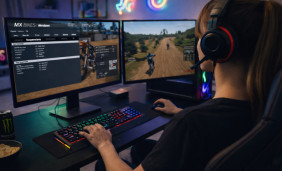 MX Bikes Full Game: What You Get and How to Install It Safely
 Play MX Bikes Unblocked Safely: Setup, Access, and Performance Tips
 MX Bikes VR Experience: Setup, Hardware and Motion Comfort
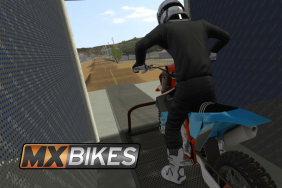 What Is MX Bikes and How to Play?
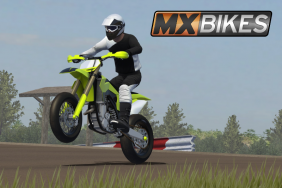 Games Similar to MX Bikes