
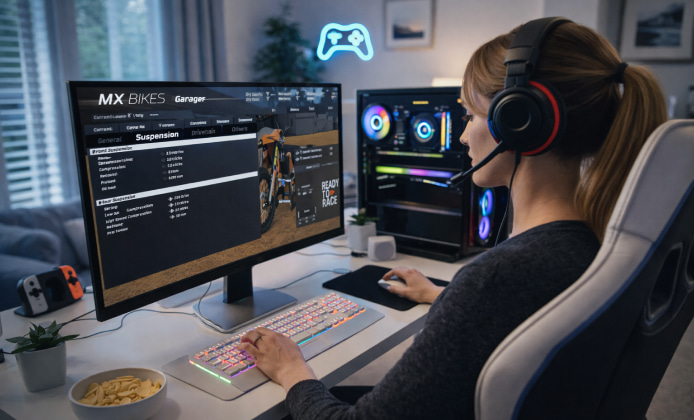
Virtual reality can turn a familiar motocross sim into something far more physical: you stop “watching” the ride and start reacting to depth, speed, and terrain in a way a flat monitor can’t replicate. For many players, MX Bikes VR adds a stronger sense of balance, line choice, and rhythm through corners, especially on rough tracks where micro-bumps and ruts matter.
Tip: Comfort comes first start with short sessions, stable camera settings, and predictable tracks before chasing lap records.
What VR Changes in Motocross Simulation
When you ride in VR, your eyes and head movement become part of how you read the track. You can judge braking distance with more confidence, and you’ll often notice that smoother inputs feel better than aggressive corrections. Many riders report that keeping your gaze “ahead” (instead of staring at the front fender) becomes more intuitive once you feel the scale of the course.
- Depth perception helps with jump timing and landing control.
- Peripheral vision can improve awareness in tight sections.
- Motion comfort depends heavily on camera behavior and refresh rate.
Hardware and Setup Checklist
A stable VR experience depends on three things: headset clarity, system performance, and input comfort. Before tweaking advanced settings, make sure your baseline is solid and consistent.
- Update GPU drivers and VR platform software.
- Ensure your headset runs at a refresh rate you can sustain.
- Calibrate your play area and confirm tracking stability.
- Choose an input method that feels natural for throttle, brake, and steering.
Quick Compatibility Notes
If you’re experimenting across different headsets, focus on consistent frame pacing rather than absolute graphical quality. A slightly lower resolution with stable performance often feels better than sharper visuals that stutter.
Comfort and Motion Settings That Matter
VR comfort is not one-size-fits-all, but there are reliable starting points. The goal is to reduce unexpected camera movement while keeping enough responsiveness to feel connected to the bike.
- Prefer smoother camera transitions over sudden snaps.
- Reduce head-bob if it causes discomfort during braking bumps.
- Start on wider tracks with gentle elevation changes.
Some players like to use MX Bikes VR primarily for practice laps because the added immersion makes training sessions feel less repetitive.
How to Start Riding Without Getting Overwhelmed
Begin with short sessions 10 to 15 minutes and gradually extend your time once your body adapts. Pick a predictable bike setup, then change only one variable at a time (track, suspension, or view settings). If your goal is to play MX Bikes VR competitively, you’ll benefit from building comfort first, then adding intensity.
Beginner Progression Plan
| Stage | Session Focus | Recommended Track Type |
|---|---|---|
| 1 | Comfort and smooth throttle | Wide, low-rut practice circuits |
| 2 | Braking markers and corner exits | Flow tracks with consistent turns |
| 3 | Rhythm sections and jump timing | Moderate elevation, medium jumps |
| 4 | Race pace and consistency | Full race tracks with ruts |
Performance Tuning for a Smoother Ride
VR performance tuning is about stability. If frames drop during heavy cornering or landings, reduce the most expensive visuals first (shadows, reflections, super-sampling), then re-test on the same section of track. Keeping a consistent refresh rate is often the single biggest contributor to comfort.
Common Symptoms and Fixes
- Micro-stutter on turns: lower resolution scale or disable heavy post-processing.
- Blurry distance view: increase clarity carefully, but prioritize stable FPS.
- Tracking feels off: improve lighting, re-center, and confirm headset fit.
Access, Versions, and Responsible Use
Many players search for ways to try the experience before committing, but it’s best to rely on official channels, demos, trials, or platform refund policies rather than unsafe downloads. If you see claims like MX Bikes VR for free from unofficial sources, treat them cautiously and stick to legitimate options to protect your account and PC.
Why This Mode Feels Different Over Time
Once your comfort improves, VR becomes less about the novelty and more about precision. You’ll start noticing tiny reference points, trackside markers, shadows, ruts and your consistency can improve because you’re reading the environment more naturally. That’s why the MX Bikes VR game can feel both more demanding and more rewarding than standard play.
Final Pointers for Better Sessions
- Warm up with a few slow laps to calibrate your timing.
- Keep your setup consistent while you learn.
- Stop immediately if you feel motion discomfort short breaks help.
- Prioritize stable performance over maximum graphics.
 A Practical MX Bikes Installation Guide for Windows PC
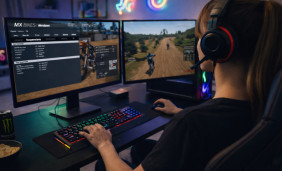 MX Bikes Full Game: What You Get and How to Install It Safely
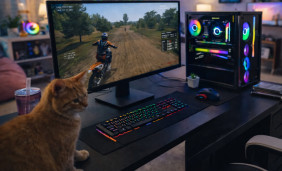 Play MX Bikes Unblocked Safely: Setup, Access, and Performance Tips
 MX Bikes VR Experience: Setup, Hardware and Motion Comfort
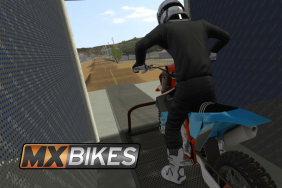 What Is MX Bikes and How to Play?
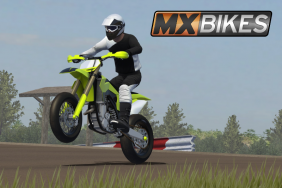 Games Similar to MX Bikes