
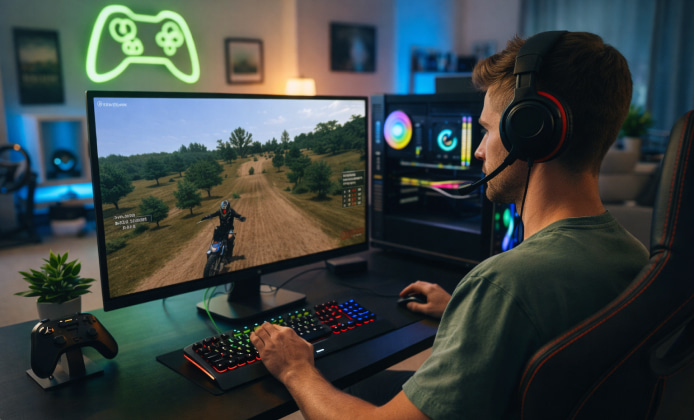
Before you touch any setup file, take two minutes to check your disk space, Windows updates, and GPU drivers, because small prep steps prevent most launch issues later.
What You Need Before You Begin
- Storage: Keep at least 10–15 GB free to allow patches, replays, and community content.
- Permissions: Use an administrator account, or be ready to approve Windows prompts.
- Security: Avoid “repacked” archives; use an official store library so updates and file validation work properly.
- Time: Plan for an initial download plus one extra run for first-launch file creation.
- A smooth first launch matters more than a fast download: once the folders are created correctly, mods and tracks become much easier to manage.
Quick Requirements and Setup Checklist
| Item | Recommendation | Why it helps |
|---|---|---|
| Graphics driver | Latest stable from NVIDIA/AMD/Intel | Fixes crashes, improves frame pacing |
| Windows updates | Install pending updates, then reboot | Reduces missing runtime/component errors |
| Install location | Short path (e.g., C:\Games\) | Avoids permission and path-length issues |
| Antivirus behavior | Allowlist the game folder if needed | Prevents false quarantines of legitimate files |
Step-By-Step Installation on Windows
- Choose our fan website. Purchase or obtain access from a legitimate platform so you receive updates, cloud saves (if available), and easy file verification.
- Pick the right install path. Create a simple folder like C:\Games\MXB to reduce permission conflicts and keep mod files organized later.
- Download fully before launching. If your platform supports “play while downloading,” disable it for the first run to avoid missing or partially extracted files.
- Run the first launch clean. Start the game once with no overlays, no custom shaders, and no third-party injectors, then close it after reaching the main menu.
- Verify files if anything looks off. Most platforms have a “verify integrity” tool that restores missing files without forcing a full reinstall.
For a clean setup, MX Bikes install feels much smoother when your controller drivers and graphics drivers are already updated.
Finding the Correct Setup Package
Some platforms deliver a single download, while others provide a small bootstrap that fetches the rest of the data in the background.
If you are using a store library, the MX Bikes installer should be launched only after the download reaches 100% and the platform reports that it is ready.
First Launch: Create Folders, Set Controls, and Confirm Performance
On a fresh machine, when you install MX Bikes, it’s smart to close other apps and allow the game to generate its config files without interruption.
- Controls: Calibrate your gamepad or wheel-style controller and test throttle/brake inputs in a practice session.
- Video settings: Start with a stable frame rate, then increase textures and shadows one step at a time.
- Audio: Confirm your output device is correct before joining online servers to avoid voice/chat confusion.
Pc-Specific Tips That Prevent Common Headaches
Many players prefer to install MX Bikes on PC first, then add mods only after the first successful launch confirms everything is stable.
- Fullscreen issues: If the game opens on the wrong monitor, try borderless window mode and set the correct display inside Windows first.
- Controller not detected: Plug in the controller before launching, and avoid switching USB ports mid-session.
- Stuttering: Disable background recording overlays, then test again with a clean reboot.
Safe Ways to Try the Game Without Wasting Money
To test performance, you can install MX Bikes for free during a trial or refund window, and still keep your settings and controller profile tidy.
If you are comparing platforms, some stores let you install for free MX Bikes as a quick evaluation, before you decide where you want to keep your library.
Optional: Organizing Mods, Tracks, and Bikes After Installation
Once the base game runs properly, you can begin customizing it in a way that stays easy to troubleshoot later.
- Use a “staging” folder: Download mods to a separate folder first, scan them, then move them into the proper game directories.
- Add content gradually: Install one track or one bike pack at a time and launch the game between changes to catch conflicts early.
- Keep version notes: A simple text file listing what you installed and when can save hours if something breaks.
Troubleshooting Guide
- Restart your PC, then try again with overlays disabled.
- Verify files using your platform’s built-in tool.
- Run the executable as administrator once to ensure configuration folders are created correctly.
Black Screen or Instant Crash
- Update GPU drivers and reboot.
- Switch to windowed or borderless mode if fullscreen causes display conflicts.
- Temporarily remove third-party shaders and any injected overlays.
Controller Issues
- Recalibrate in Windows Game Controller settings, then rebind inputs in-game.
- Avoid simultaneous controller tools that may “double map” inputs.
- Test with a different USB port or cable to rule out power/connection problems.
Mini Checklist for a Perfect Reinstall (If You Ever Need It)
- Back up your controller profiles, setups, and replays.
- Uninstall through your platform, then delete leftover folders if they remain.
- Reboot, reinstall, and launch once before adding any custom content.
After everything is running, focus on tuning controls and learning tracks, because consistent settings make riding feel predictable and rewarding.
 A Practical MX Bikes Installation Guide for Windows PC
 MX Bikes Full Game: What You Get and How to Install It Safely
 Play MX Bikes Unblocked Safely: Setup, Access, and Performance Tips
 MX Bikes VR Experience: Setup, Hardware and Motion Comfort
 What Is MX Bikes and How to Play?
 Games Similar to MX Bikes